E-CAM - Import a post-processor

Import the post-processor file(s) into SimplexCAM as follows:
Click Edit -> Machine Directory
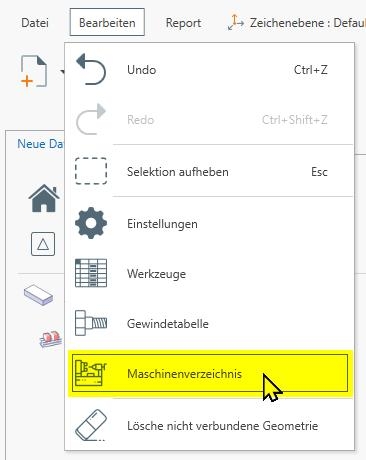
The corresponding file window will open. Copy the XML files into this directory.
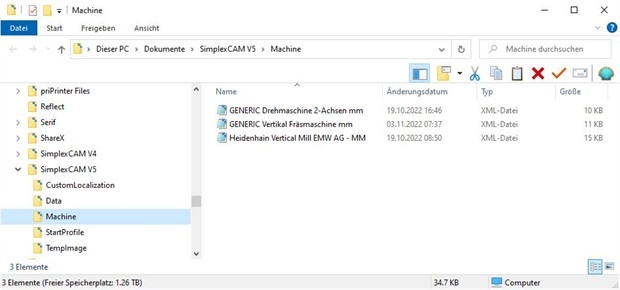
Click Edit -> Machine Directory
The corresponding file window will open. Copy the XML files into this directory.
C:\Users\<Username>\Documents\SimplexCAM V5\Machine
If necessary, restart SimplexCAM to load post-processors
Adjusting the Postprocessor:
Tip: It's best to take an existing postprocessor file (e.g., from the list above) and create a copy of it with a new name . This copy can then be modified without hesitation, and if something doesn't work, you still have the original postprocessor. You can see where the postprocessor files are located above.
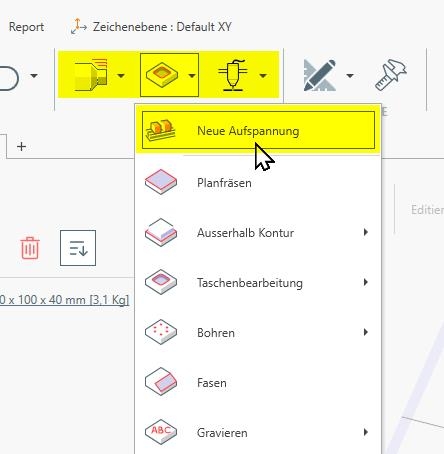
1. Click on "New Setup"
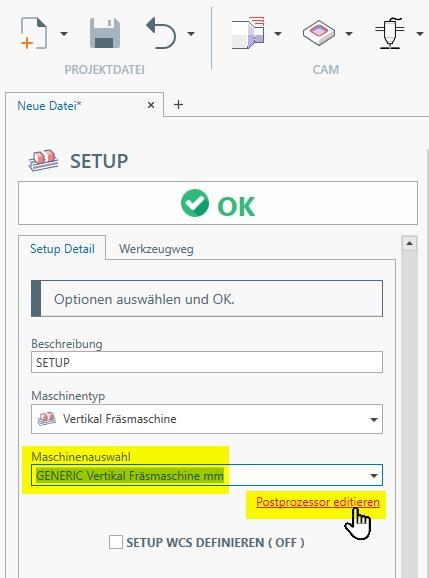
2. Select a machine -> "Edit post-processor"
3. Now the post-processor can be customized...
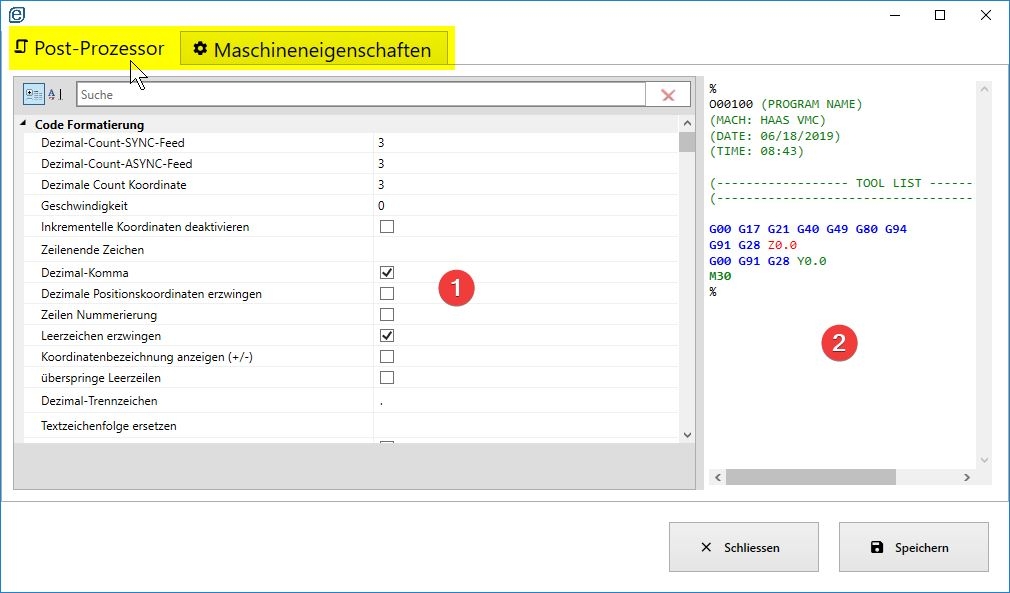
... by defining the control-specific properties in area (1) and being able to see the effects directly in area (2).
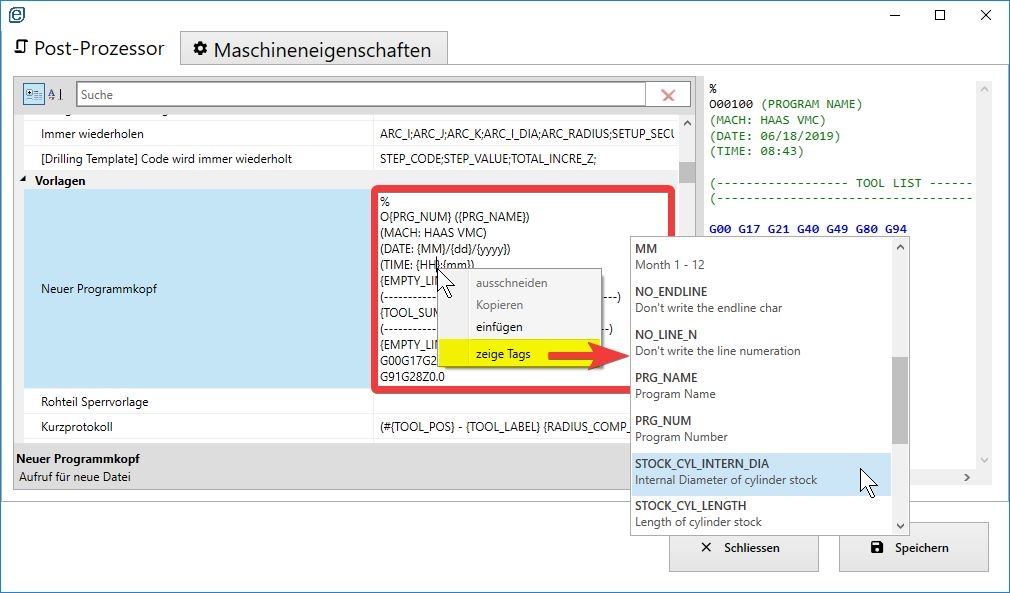
Right-clicking and selecting "Show Tags" will display additional parameters for selection. Don't forget to save when you're finished .
Adjusting the Postprocessor:
Tip: It's best to take an existing postprocessor file (e.g., from the list above) and create a copy of it with a new name . This copy can then be modified without hesitation, and if something doesn't work, you still have the original postprocessor. You can see where the postprocessor files are located above.
1. Click on "New Setup"
2. Select a machine -> "Edit post-processor"
3. Now the post-processor can be customized...
... by defining the control-specific properties in area (1) and being able to see the effects directly in area (2).
Right-clicking and selecting "Show Tags" will display additional parameters for selection. Don't forget to save when you're finished .
Howdy, Stranger!
- 107 CAD
- 2 CAM
- 70 CAE
- 41 Misc
- 235 All Categories